
QR Codes That Bridge Offline and Online: 5 Real Placements
Five real QR placements — store menu, expo booth, business card, poster, table — each with its UTM template, short-link tactic, and print checklist.
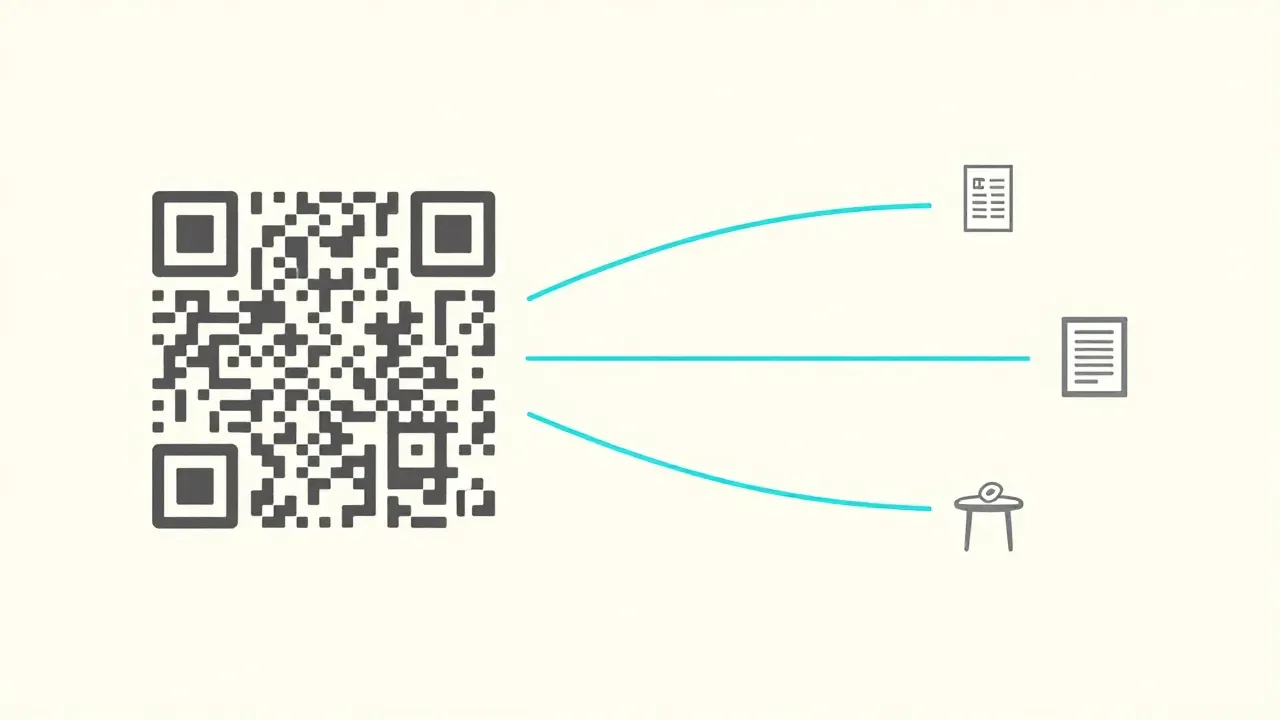
Sticking a QR code on something is the easy part. The hard part comes after — knowing who scanned it, when, and from where, so you can tell which placements are actually pulling weight. Skip that step and a QR code is just decoration.
This post walks through five places teams actually put QR codes — store menus, expo booths, business cards, posters, table stickers — and pairs each one with the short-link tactic and UTM template that keeps the data clean. By the end you’ll have a copy-paste UTM block for every placement.
Why a QR Code and a Short Link Belong Together
A QR code is just a URL drawn as pixels. A long URL means denser pixels, which means lower scan reliability when print quality drops or the code shrinks. A short link inside the code keeps the pattern simple, which keeps the code readable on a business card, on a menu corner, or under store lighting.
The bigger reason is what happens after print. The image of a QR code can’t change once it’s printed, but the destination of the short link inside it can change at any time. Menu updates, campaign expirations, seasonal swaps — the same printed code keeps working because the redirect changes underneath it.
Pair that with link analytics and you get the part most QR generators leave out: how often each placement is being scanned, from where, on what device, at what time. Many free QR tools generate the image but stop there. A short-link service usually attaches a QR to every link by default and folds the analytics into the same dashboard.
Five Placements That Actually Work
The recipe is the same every time: pick a placement → mint one short link → grab the auto-generated QR → print. The only thing that changes is how you tag the URL with UTMs so the dashboard splits the data cleanly a month later.
1. Store Menu — The Order, Reserve, or Review Fork
The most common placement, and the one that gets misused most often. The same menu can drive three completely different actions, and trying to do all three from one code makes scanners pick from a landing page they didn’t ask for.
- Goal: takeout orders → delivery app store page or your own ordering page
- Goal: repeat reservations → reservation platform (Resy, OpenTable, Naver Booking)
- Goal: reviews → your Google Business or platform-specific review form
Pick one goal per placement. If the menu has room, print two codes side by side (“Order here” and “Leave a review here”) rather than asking the customer to choose on a landing page after the scan.
utm_source=menu
utm_medium=qr
utm_campaign=store-{location}
utm_content=takeout    ← or review, reservation
2. Expo Booth — Faster Than a Business Card
Hand someone a paper catalog at a trade show and half of them lose it within a week. A single QR code at the booth lets a visitor pull a PDF, a product page, or a contact form straight to their phone — and the moment they do is the highest-intent moment of the whole conversation.
Booth visitors hop between booths all day, so the page they land on should make the next step obvious — “Grab the catalog” plus “Book a 15-minute call within the next two weeks” works better than a landing page that just lists features.
After the show ends, swap the destination of the same short link to a “The expo’s wrapped — here’s what’s next” page. The printed code keeps earning value for weeks.
utm_source=expo-{event}
utm_medium=qr
utm_campaign=booth-{company}
utm_content=catalog    ← or demo, contact
3. Business Card — One Second to Introduce Yourself
A QR code on a business card is scanned by someone who already met you, so they arrive with goodwill. The classic mistake is sending them to your company homepage. The homepage answers “what does this company do,” not “who is this person I just met.”
A better target is a one-page bio: a single sentence about you, three recent things you’ve shipped, your contact info, a calendar link. One screen, no scroll. That’s the page that earns a follow-up.
The QR on a business card is small, so keep the slug short too. A long URL forces a denser code, and dense codes fail more often when scanned from a tilted angle in soft light.
utm_source=businesscard
utm_medium=qr
utm_campaign=intro-{your_initials}
4. Poster / OOH — Catching a Two-Second Glance
Subway ads, event posters, store-window banners — these placements get a passerby’s attention for one or two seconds. The QR has to earn the scan in that window. “Scan to learn more” is weak. “Scan for 50% off, today only” is concrete.
Whatever the offer is, put a one-line reason next to the code. The reason should answer “what happens in the next five minutes if I scan this.” Without that line, the code is invisible.
OOH prints are expensive to fix. Once the campaign ends, swap the short link’s destination to a “This campaign ended — get notified next time” page so late scanners don’t hit a dead URL.
utm_source=poster
utm_medium=qr
utm_campaign=summer-sale-2026
utm_content=subway-line2    ← split by placement
5. Table QR — Skipping the Counter Line
A table sticker QR is different from the menu QR. The menu is the decision — what to order. The table sticker is the action — paying without standing up. The customer has already chosen and just wants to finish.
This placement is unforgiving. If the page takes more than a second to render the first paint, or if it forces a sign-up, the customer gets up and walks to the counter anyway. Scan it yourself once a quarter on the slowest phone you can find.
The upside: table QR codes accumulate scans faster than any other placement, which means lunch and dinner peaks show up cleanly in the time-of-day report. Several restaurants we’ve talked to rebuilt their staff scheduling off this one chart.
utm_source=table
utm_medium=qr
utm_campaign=store-{location}
utm_content=table-{number}
Tag each table separately and the dashboard will tell you which seats turn over fastest, whether the window seats out-order the back-room seats, and which numbers eat the most discount codes.
All Five in One Table
| Placement | Goal | utm_source | utm_medium | utm_content |
|---|---|---|---|---|
| Store menu | Order / reserve / review | menu | qr | takeout / review / reservation |
| Expo booth | Material handoff + follow-up | expo-{event} | qr | catalog / demo / contact |
| Business card | One-page bio | businesscard | qr | (skip) |
| Poster / OOH | Reward-driven scan | poster | qr | placement label |
| Table QR | Self-checkout | table | qr | table number |
A month from now, those five values will split your scan data into clean rows in the analytics dashboard.
A 30-Second Print Checklist
Run through these before sending anything to the printer. They’re the difference between scanning the proof and reprinting ten thousand cards.
- Size — minimum 2cm × 2cm. For a poster meant to be scanned from a meter away, 5cm or more.
- Quiet zone — leave a margin around the code at least one module wide. Designers love to crop it. The scan rate hates that.
- Contrast — dark code on a light background. The reverse (light code on dark) often fails on phone cameras.
- Matte finish — glossy lamination reflects ceiling lights and direct sun, especially on store entrances. Matte stays scannable.
- Real-device test — scan the proof PDF once and the printed sample once, on both an iPhone and an Android. Always.
Where Bublink Fits
Every Bublink short link comes with a QR code attached automatically — there’s a download button next to the link, and there’s no separate QR plan. You can mint a short link and a QR without signing up, which matters on event day when somebody asks for one more code an hour before doors open.
Because the analytics live in the same dashboard, the five placements above split out by country, city, device, time of day, and referrer without extra setup. On Pro ($7/month), the 7×24 heatmap shows exactly which hours your table QR is doing real work — and the same data tells you when the lunchtime peak actually starts.
Thirty seconds to learn, years to use. The goal was always for the printing step to take longer than the dashboard step.
In One Page
- The value of a QR code lives in what data shows up after the scan, not in the code itself.
- Different placements need different goals — split them with UTMs at the source, medium, and content level.
- Before you print: size, quiet zone, contrast, matte finish, real-device test. Five checks, no surprises.
Click a Bublink, land instantly. Mint a short link with a QR at bublinks.com →
Read next: UTM Parameters Done Right — the channel-by-channel templates the placements above plug into. Related: How to Set Up a Custom Domain for Branded Short Links — make
go.yourbrand.com/qr-menuyour QR target in five minutes.
Try Bublink
Branded short links, real analytics, no tier-gating.
Spin up a workspace and shorten your first production link in under a minute. Free to start.
Try Bublink →Continue reading
Bulk URL Shortener: 100 Links from One Excel Sheet
Turn an Excel file into 100 tracked short URLs in under a minute — bulk import schema, per-row UTM pattern, and the analytics view that follows.

Newsletter Click Tracking — A UTM Variant System for Email
A practical UTM variant system for email newsletters — header, body, footer placements, send-time analysis, and the heatmap that decides next week's send.
UTM Parameters Done Right: source, medium, campaign 2026
The five UTM parameters explained, channel-by-channel templates for email, ads, social, QR, and offline, plus the seven mistakes that break GA4 reports.